
Odoo implementation from a team that knows the store side
We set up Odoo for small and growing companies: sales, inventory, purchasing and accounting in one database. If you sell on Shopify or keep your books in QuickBooks, we bring that along too.
Your Odoo subscription is paid to Odoo and stays in your name. What we build goes live in phases you agree to in writing.
Tell us what you run on today
QuickBooks, spreadsheets or another ERP, roughly how many people would use Odoo, and whether you sell on Shopify. We'll reply by email.
Rather talk or write directly?
Who does the work
We also build Shopify stores and make our own B2B apps on the Shopify App Store, so we know how quotes, wholesale prices and stock behave in the store before they reach your ERP.
Meet the teamMohammad MahdawiCEO and Founder
Mohammad has 15 years of experience in ecommerce and ERP, including Shopify Plus and Odoo.
Emily ThompsonOdoo Developer
Sets up and customizes Odoo, from custom modules and reports to data migration and integrations.
The Odoo apps you'd likely start with
Odoo is a set of apps that share one database, so a customer or a product exists once. You don't need all of them on day one.

CRM
Leads and the sales pipeline, with follow-ups the whole team can see.

Sales
Quotes that turn into orders without being typed in again.

Inventory
Stock by location, receipts and deliveries.

Invoicing
Customer invoices, vendor bills and payments.

Purchase
Purchase orders and reordering from your suppliers.

Manufacturing
Bills of materials and work orders, if you make what you sell.

Project
Tasks and timesheets for service work you bill by the hour.

eCommerce
Odoo's own online store, if you don't sell on Shopify.
What your team would work in
These are Odoo's own screens with demo data. Yours would show your products, customers and numbers.
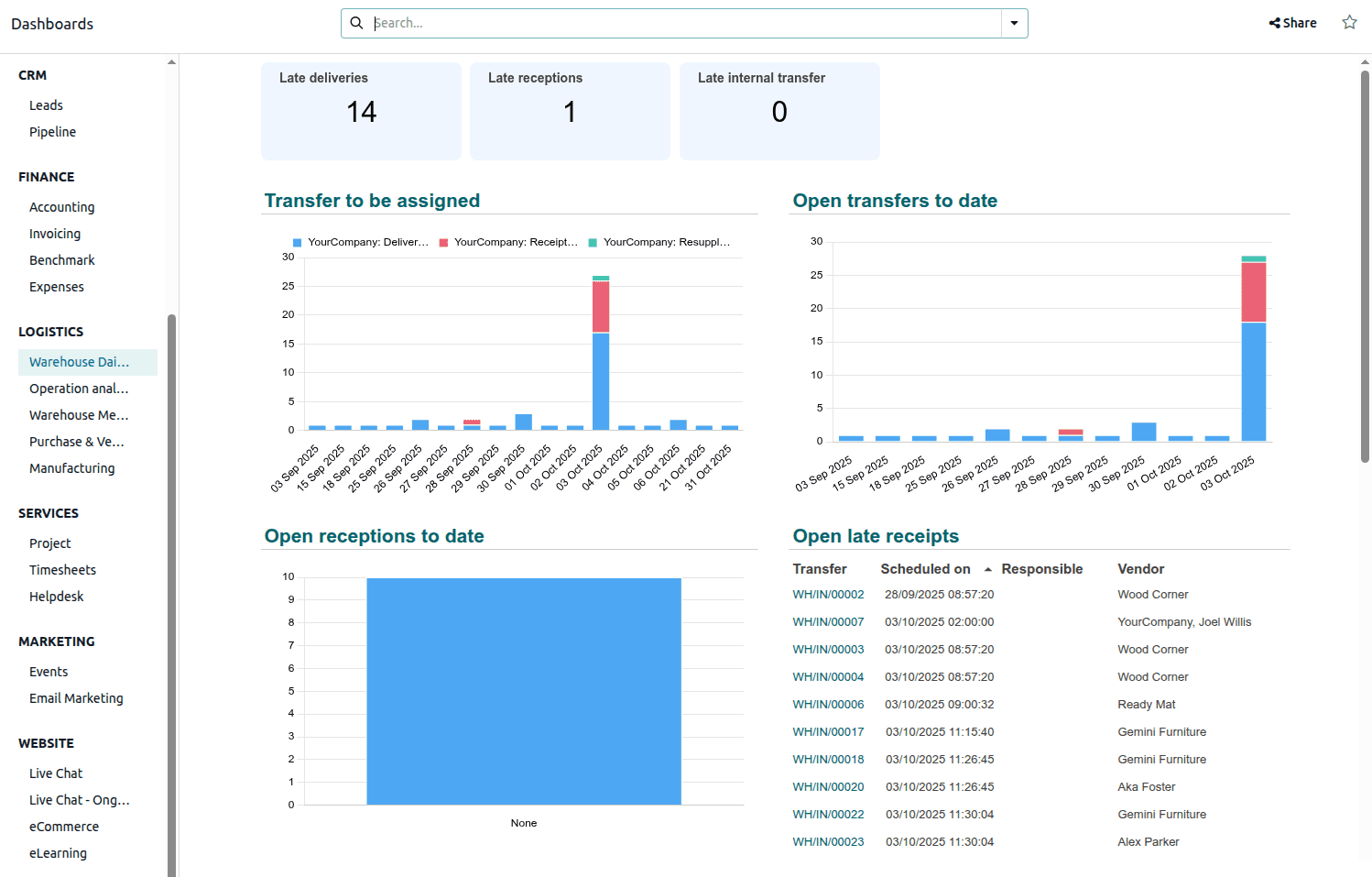
Dashboards
Late deliveries, receipts and open transfers on one screen, next to CRM, finance and the rest.
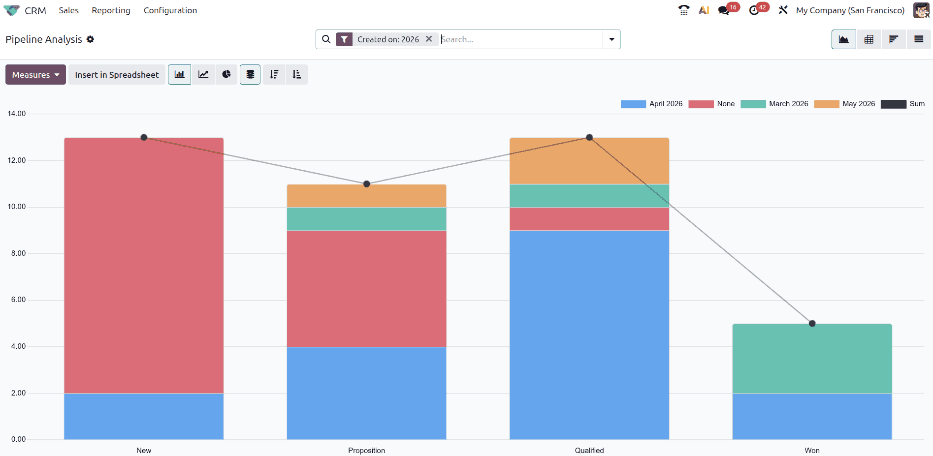
CRM
How many deals sit at each stage of the pipeline, month by month.
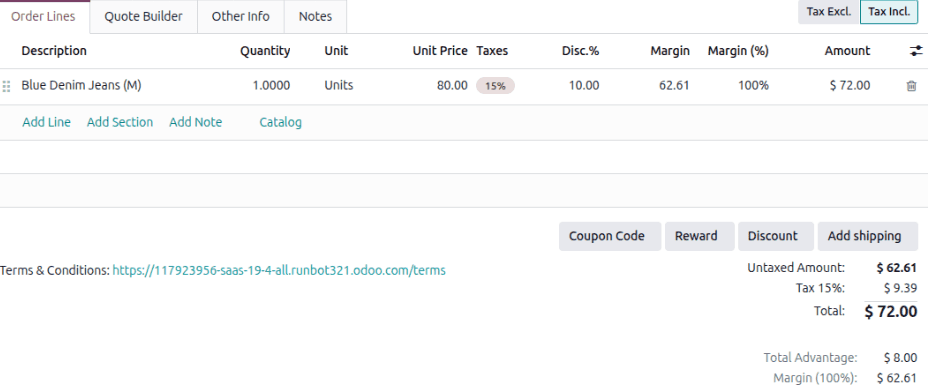
Sales
Quote lines with price, discount, tax and margin worked out as you type.
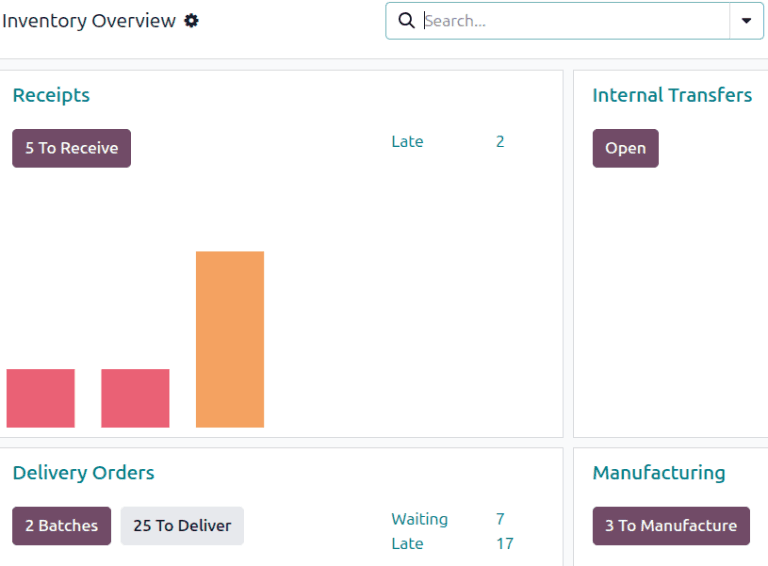
Inventory
Receipts, deliveries and manufacturing orders waiting, with what is running late.
Screenshots from the Odoo documentation (opens in a new tab), licensed CC BY-SA 4.0 (opens in a new tab).
What an Odoo project with us looks like
Nothing gets built until the first phase is agreed. A common first phase is sales, inventory and accounting, with the rest added later.
Learn how you work
How you sell, buy, stock and invoice today, and where it slows you down.
Agree the first phase
We put in writing what goes live first and what can wait for a later phase.
Set up, migrate, test
Odoo is set up in a test database, your data comes over, and your team tries it.
Go live and train
We load the final data, train your people and stay close for the first weeks.
Bringing Shopify and QuickBooks along
Your Shopify store
Orders and customers flow from Shopify into Odoo, and stock levels go back to the store. The part that takes thought is deciding which system owns what: the price a wholesale customer sees, the stock count, the customer record.
That's where building quote and wholesale apps helps. We've already had to answer those questions on the Shopify side, so we work them out with you before anything is connected.
Your QuickBooks history
We move customers, products, open orders and balances into Odoo, then check the numbers with you before you switch over.
We train your team as part of go-live.
Common questions
Ready to put the business in one system?
Tell us what you run on today. We'll reply by email with questions and a suggested first phase.
Odoo and the Odoo app icons belong to Odoo S.A. Texvion is an independent company and is not affiliated with or endorsed by Odoo S.A.