

Shopify Cost Guide
How Much Does a Shopify Website Cost to Build?
Most agencies will not answer this until you book a call. Here is how the money breaks down: what you pay Shopify, what you pay to build the store, and what comes after launch.
- Plan prices from shopify.com/pricing
- Published build estimates by route
- The running costs people forget
Tell Us About Your Project
Where Shopify Budgets Go Wrong
Counting Only the Plan
The monthly plan is often the smallest part of the budget. Design, product setup, photos and written content can easily cost more than a year on the Basic plan.
App Fees That Creep Up
Most apps bill monthly, and a handful of small subscriptions adds up to a real line in your budget. List the apps you expect to need before you compare plans.
Overlooking Payment Fees
If you do not use Shopify Payments, Shopify adds a fee on top of your provider's: 2% on Basic, 1% on Grow, 0.6% on Advanced and 0.2% on Plus. On a growing store, this can outweigh the plan price.
Published Shopify Build Estimates
These are ranges published by agencies, not our prices. We publish no price list, and your cost depends on your scope.
| Route | What you get | Published estimate | Best for |
|---|---|---|---|
| Premium theme | A premade theme you set up | $500 to $3,000 | New stores with a simple catalog |
| Theme customization | Changes to a theme you have | $1,500 to $5,000 | Stores with a few clear gaps |
| Freelancer store build | One person builds the store | $2,000 to $10,000 | Small, well-defined projects |
| Agency store build | A team handles the full build | $5,000 to $50,000+ | Larger catalogs and integrations |
| Custom theme | A theme written for your store | $5,000 to $25,000+ | Stores a premade theme cannot serve |
| Ongoing support | Fixes and changes after launch | $500 to $2,000 a month | Stores with regular changes |
What Pushes the Cost Up
- A custom theme instead of a premade one
- A large catalog or many variants
- Moving data from another platform
- Custom apps and Shopify Functions
- Integrations with ERP or accounting systems
- Wholesale pricing and customer accounts
- New product photos and written content

How to Budget a Shopify Store
Pick a Route
Decide between a premade theme, a customized one or a custom build, based on what you need today.
Add Running Costs
Add your Shopify plan, apps, payment fees and any support you expect to need.
Add Your Content
Budget for photos and product text, which often get missed.
Get It Scoped
Write down what the store must do, so quotes can be compared fairly.
Stores We Built
A few of the Shopify stores we've designed and built. See our full portfolio
 Home fragrance, DallasB's Knees Fragrance Co.(opens in a new tab)Web design and development for a candle and reed diffuser brand, with SEO, wholesale pricing and a B2B login.
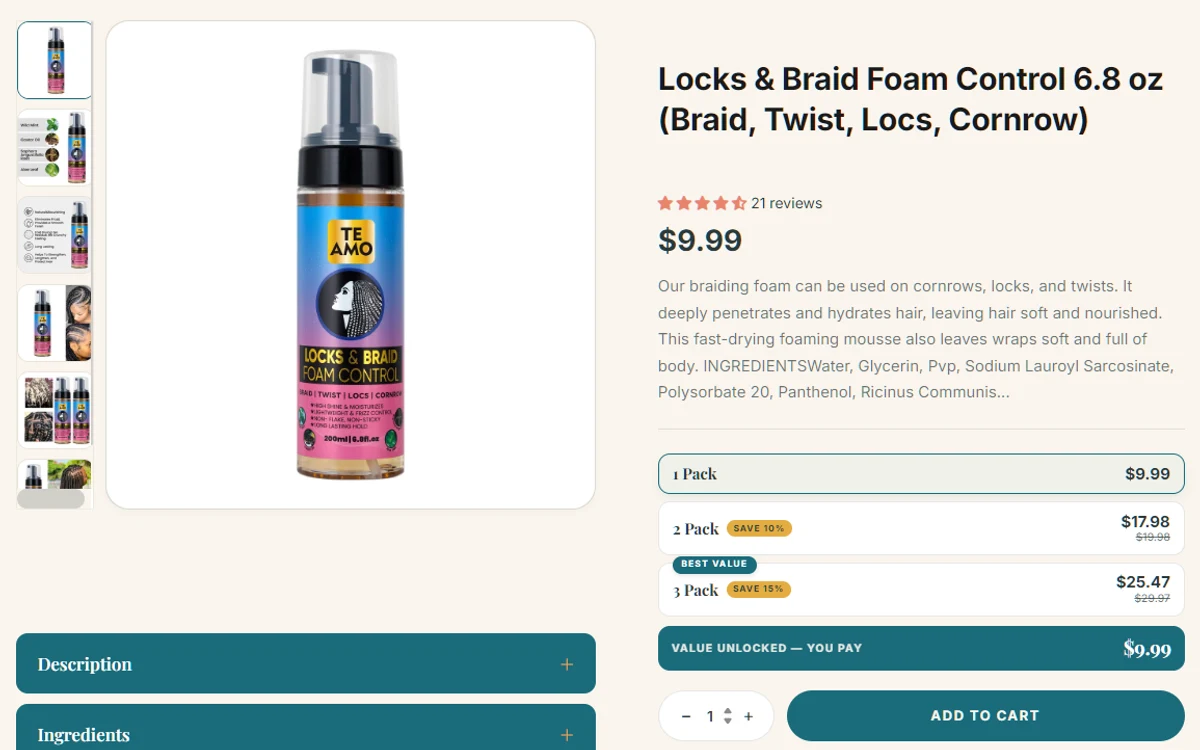 Hair and skin careTe Amo Supply(opens in a new tab)Web design and development for a plant-based hair and skin care brand, with a Request a Quote page and high-converting product pages.
What Merchants Say About Our Shopify Apps
Real reviews from the Shopify App Store. They cover our apps.
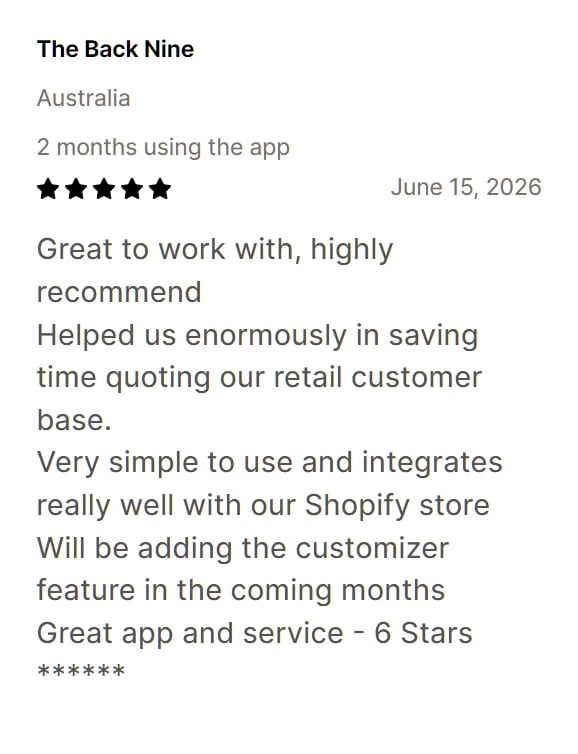
Review of Add to Quote 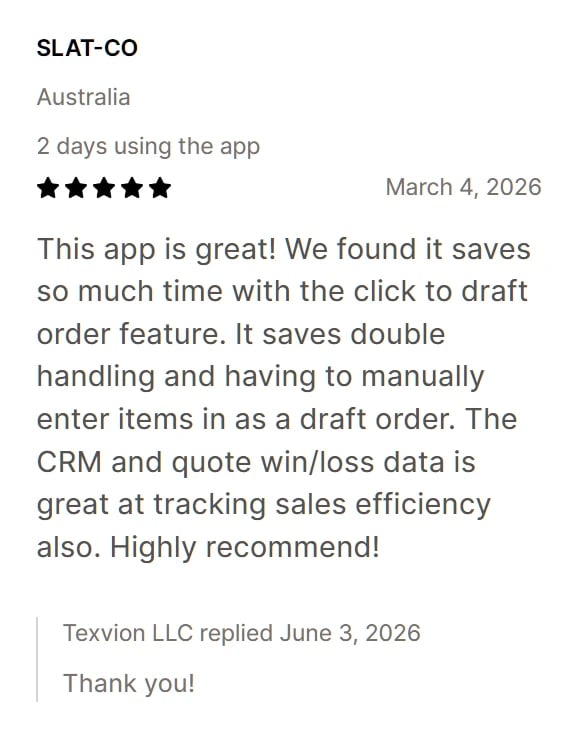
Review of Add to Quote 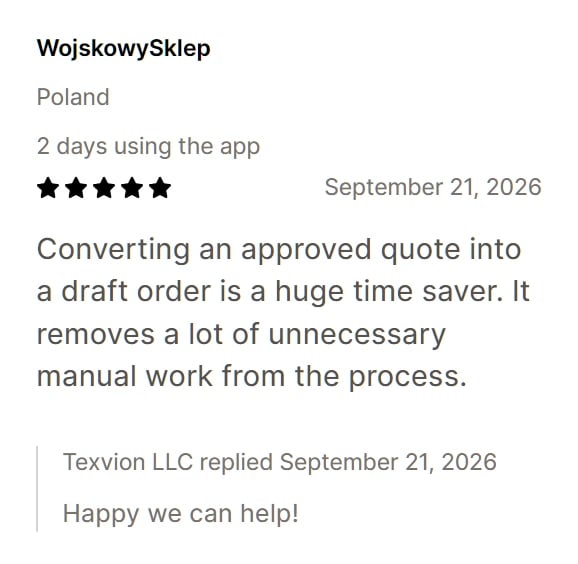
Review of Simple Request a Quote
Frequently Asked Questions
Related Shopify Services
- Shopify Store SetupProducts, payments, shipping and taxes set up correctly for launch.
- Shopify Custom Theme DevelopmentA theme written for your store, and advice on when you need one.
- Shopify vs WooCommerceHosted and simple, or open and yours to run? We build on both.
Shopify is a trademark of Shopify Inc. Texvion is an independent company and is not affiliated with or endorsed by Shopify Inc.